Best Spotify Playlists: Top Public & Themed Collections to Explore
Ever wonder how to measure your Spotify playlist‘s success? Since Spotify keeps individual followers a secret, the best way to gauge engagement is by simply looking at your follower and save numbers..This essential guide explores how to check your list numbers and provides trusted strategies for playlist optimization, including mastering playlist SEO, adding effective keywords, and promotion techniques. Dive in to discover practical tips to boost visibility and attract more listeners to your curated music collection!
Can You Verify Which User Saved Your Playlist on Spotify?
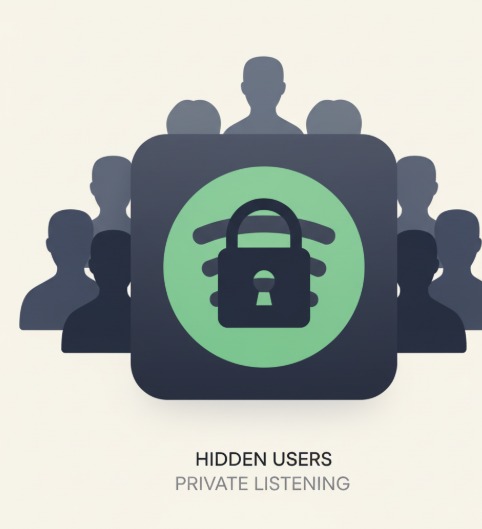
Despite numerous updates to features, you still can’t see who saved your playlist on Spotify. This information is kept hidden because Spotify wants to avoid giving users information about other users’ activity.
Nevertheless, the total number and followers can be displayed from the playlist’s overview page, giving the user more insight into the engagement. This doesn’t disclose any user information, but it does allow the user to assess the engagement compared to before and see what the level of popularity is overall on the playlist.
Has Spotify Ever Had A Feature Like This?
Spotify had once allowed more social aspects, which were stripped after a major playlist update in 2013, which was one of the biggest updates to the app due to privacy changes. Users asked for the option to come back in 2019, to which Spotify said “Not Right Now”. Even after thousands of users voted, there’s been no confirmation from the platform on bringing back visibility when saving playlists.
Can I See Who Listened to My Spotify Playlist? (Listener Privacy)
Spotify does not show who has listened to your playlist, despite several playlist updates. They will not show listeners for privacy reasons. You can check the total of streams and plays, which helps you understand the overall performance of your playlist. While it shows whether your playlist is a popular one, your listeners will remain anonymous on Spotify.
Are There Any Hacks that Show Who has Saved Your Spotify Playlist?
There is no hack, tool, or workaround to see who has saved your playlist, even with multiple changes to the main features, and just about any of the “clickbait” articles that you find online do not work reliably.
Further, observing changes in followers does not mean anything regarding who saved it for listens. The only engagement to find out or show positive feedback is supporting requests on the Spotify Community in hopes that one day they will add something like this in the first place.
What Benefits Are There For Having More Followers and Likes on Your Spotify Playlist?

More followers and likes contextualize your playlist. Even when Spotify changes its algorithm and playlist updates, there are still benefits to having followers and likes. It increases visibility to others, enhances search capability for potential listeners, and instills trust in your playlist (listeners will be more inclined to listen to a playlist that has other listeners already actively engaged). A strong follower base can also help you attract new active and passive listeners, invitation for artists looking for new listeners, and sponsorship or paid exposure opportunities.
How Can I Get More People To Like and Follow Your Spotify Playlist?

To build followers and likes for your playlist, you must promote it across all social platforms- it is still effective even after several playlist discovery updates. Post it on Instagram, TikTok, or Facebook. Try targeted ads, and be a part of the community of other musicians or curated music communities. Cross-promotion leads to new active listeners and provides visibility to your playlist.
What Other Ways Are There to Get More People to Listen to Your Playlist?
You can demarcate your playlist and its experience from all other playlists by creating a theme, adding uniqueness to your song selections, and oftentimes updating songs on your playlist [in this case, a playlist update shifts visibility]. Be a part of the playlist experience and community, engage with listeners, and be sure to keep your playlist public. When active, you will build steady likes and followers over time.
Can I See Who Follows You on your Spotify Account?
Unlike the saves of a playlist, with Spotify, you can see who follows your account. This continues to remain true through every playlist update to the app. Just open your Your Library, tap on your profile picture, and select the “View Profile” option. It will then list all of the followers you have listed. This is just another way to keep track of your audience, build with them, and see who’s engaging with your music selections.
Final Thoughts
While you may not see who individually liked or saved your playlist, you can check either likes or followers for overall growth, and this has not seemed to change over the multiple playlist updates to interface. Use these numbers for progress and to help track effective planning for new ideas for future growth. Continue to promote content and engage to continue to grow your audience consistently. Ready to grow your audience? Start by applying these playlist optimization tips today!